
How to Set Up 12306 as a Foreigner
12306 is the official China Railway ticketing platform. It is powerful, but foreigners may find passport verification, language, and payment more difficult than using a foreigner-friendly travel platform. This guide explains what 12306 is for and how to prepare it.
Difficulty
Advanced
Time needed
20-45 minutes
Updated
May 14, 2026
Start here
Quick answer
- 12306 is the official China Railway ticketing system. Foreign passport holders can use the 12306 app or English website, but setup and passport verification can take time.
- Set it up before travel week: install Railway 12306, switch to English, register or log in, enter passport details exactly, add passengers, then wait for verification before relying on it.
- If passport verification, payment, or passenger status blocks you, use Trip.com/Ctrip or a station ticket window as the backup while keeping 12306 for official schedules and orders.
Requirements
- Required: physical passport and exact passport name, passport number, nationality, and validity dates.
- Required: reachable email or phone number for registration/login and security checks.
- Required for booking: verified passenger status or enough time to handle verification before buying.
- Recommended: Alipay, WeChat Pay, international card, or Chinese bank card ready for payment testing.
- Recommended backup: Trip.com/Ctrip account and station ticket window plan if verification is pending or urgent.
Visual manual
Step-by-step guide
Download the official Railway 12306 app
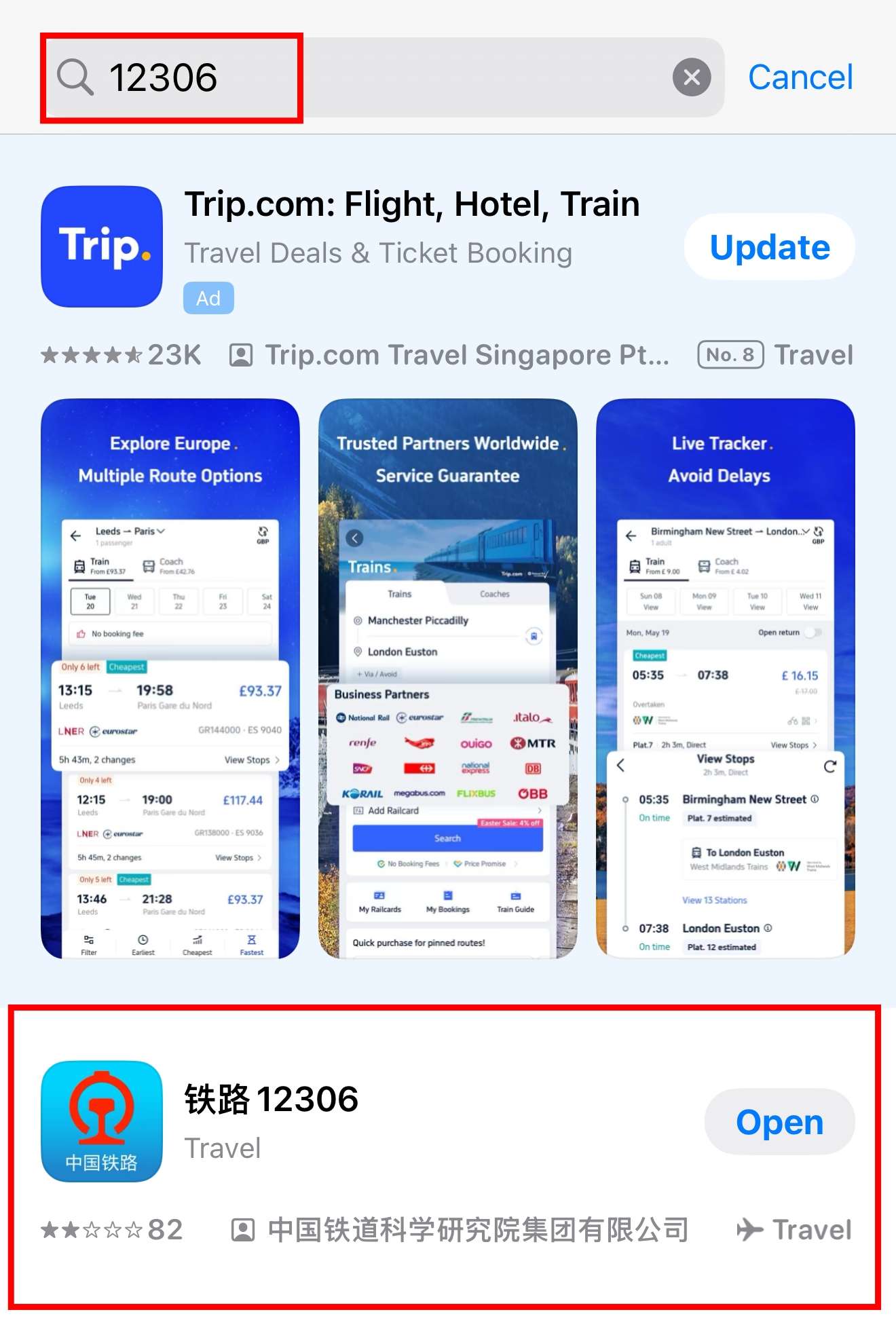
Search for Railway 12306 or 铁路12306 in the app store and check that it is the official China Railway app. Avoid similarly named third-party apps. You can also use the official English website if the app is difficult.
Trip.com tutorial screenshot; review before final publishing.
Switch the app to English
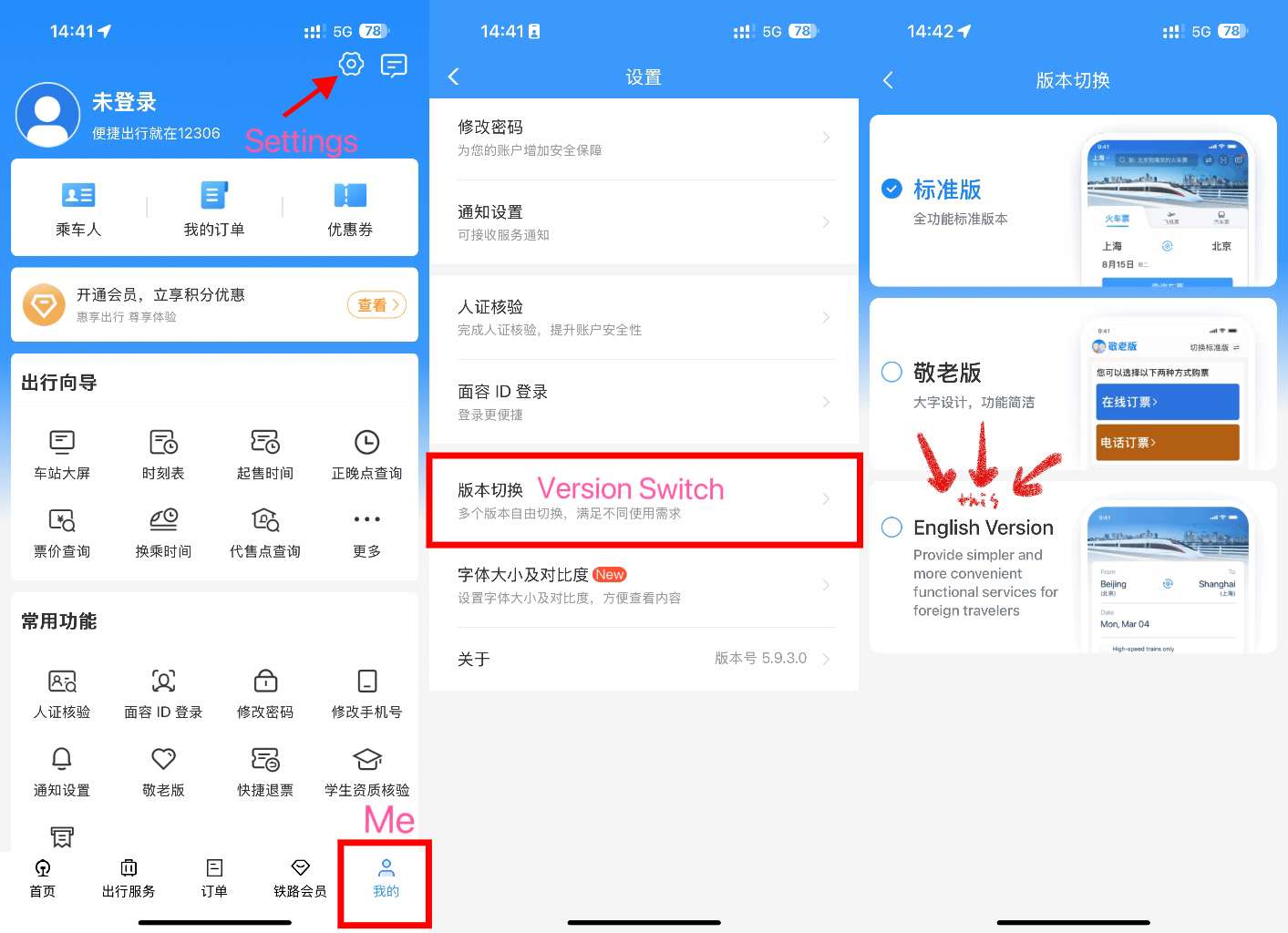
If the app opens in Chinese, go to Me / 我的, tap Settings, then Version Switch / 版本切换, and choose English. Some labels may still appear in Chinese, so keep translation available.
Trip.com tutorial screenshot; current UI should be checked manually.
Register or log in, then choose passport identity
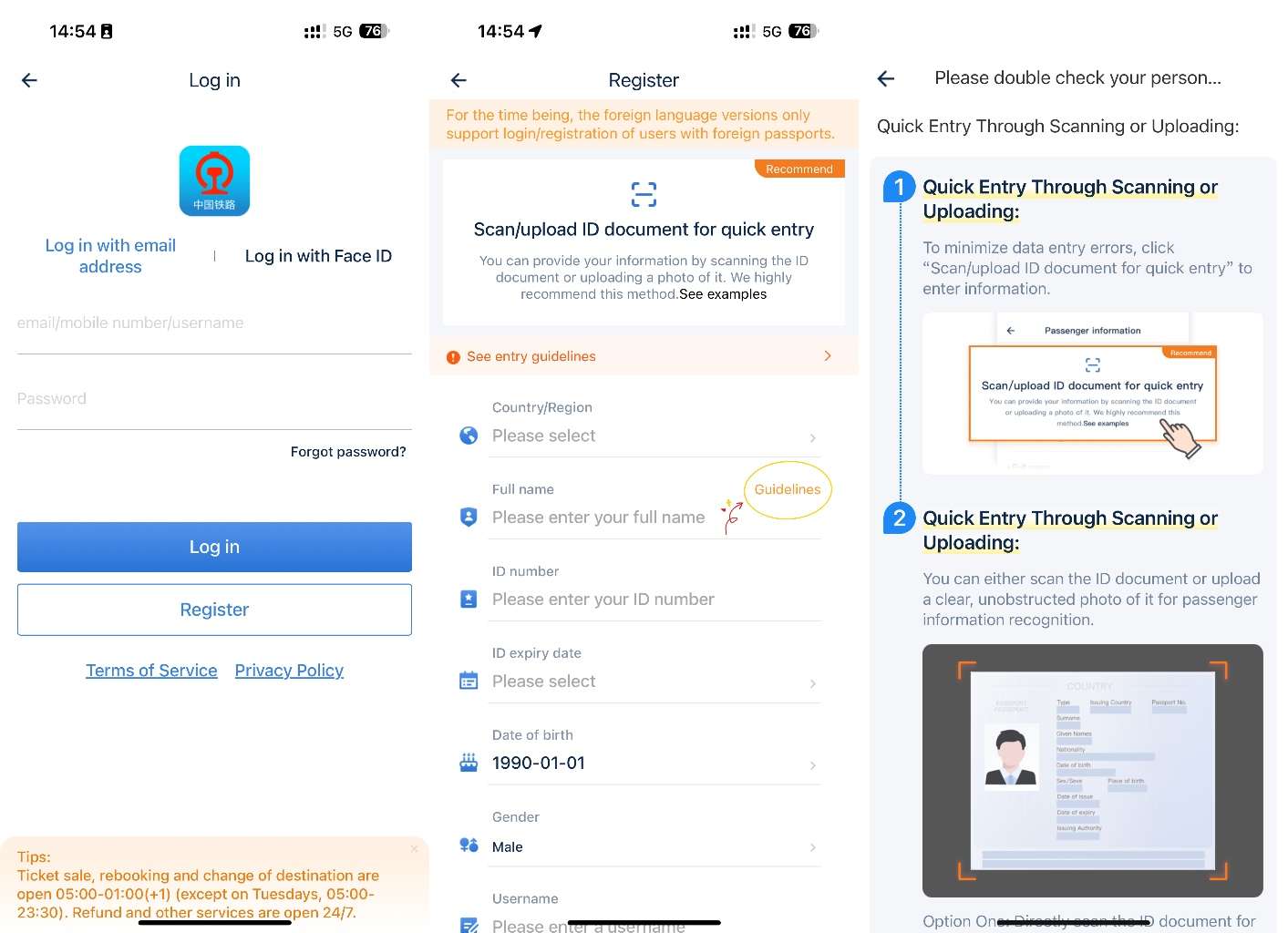
Create an account or log in. When asked for identity information, choose passport. You may need to fill in passport details and upload passport information. Keep the passport nearby and do not guess fields from memory.
Trip.com tutorial screenshot; no personal data shown.
Enter your foreign name exactly
For foreign passports using English names, enter all English names in order and keep spaces between names. If your passport shows first, middle, and last names with spaces, keep those spaces. This is one of the most common causes of verification and ticket problems.
Trip.com tutorial screenshot reused because it shows the registration stage.
Wait for passenger verification before relying on 12306
12306 passenger verification may not be instant. Trip.com's guide says identity verification usually takes 3 to 5 working days. If your passenger is pending, failed, or not ready for ticket purchase, leave time to fix it or verify at a station ticket window.
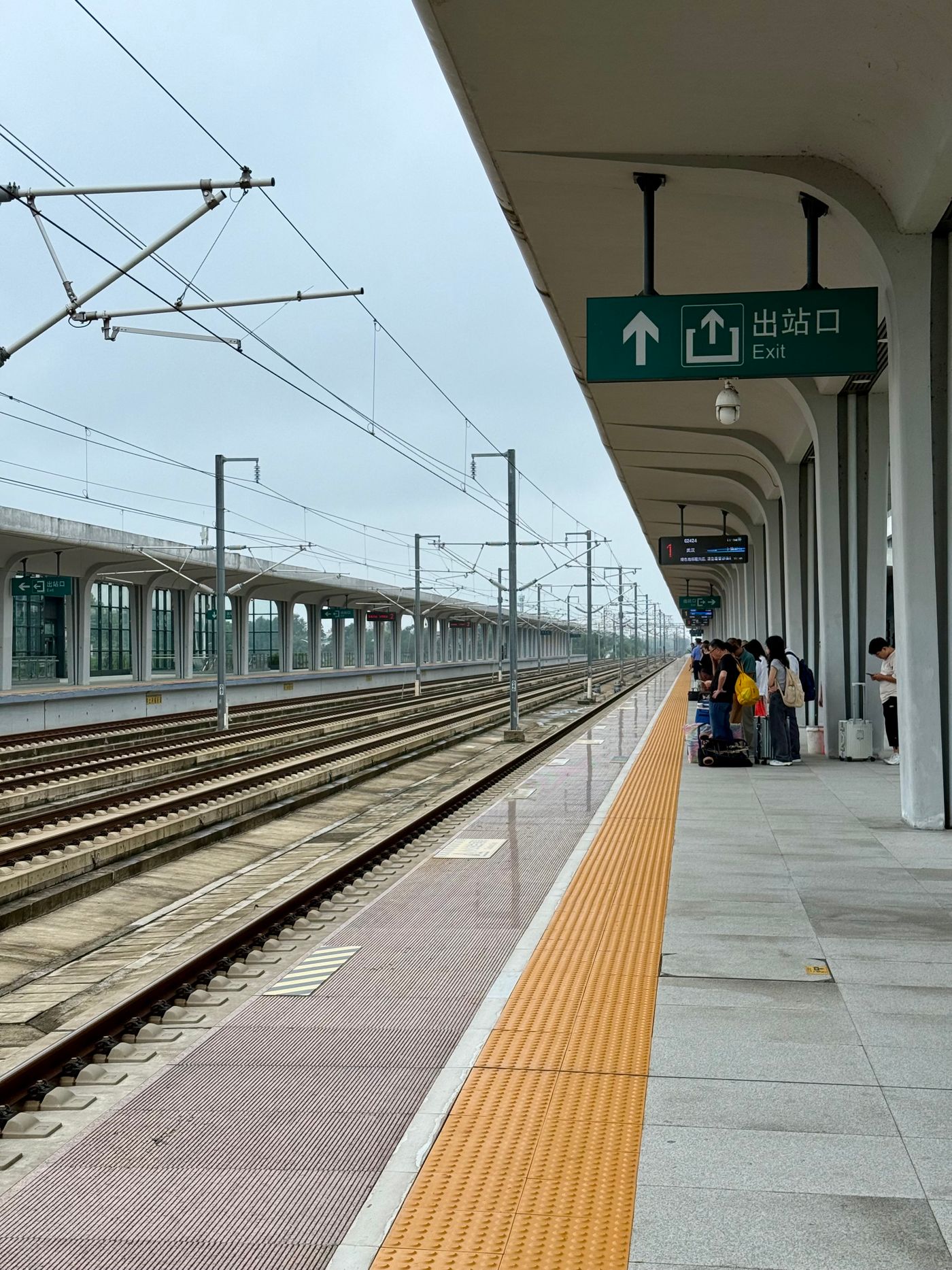
Real train station image; station counter is the backup when online verification fails.
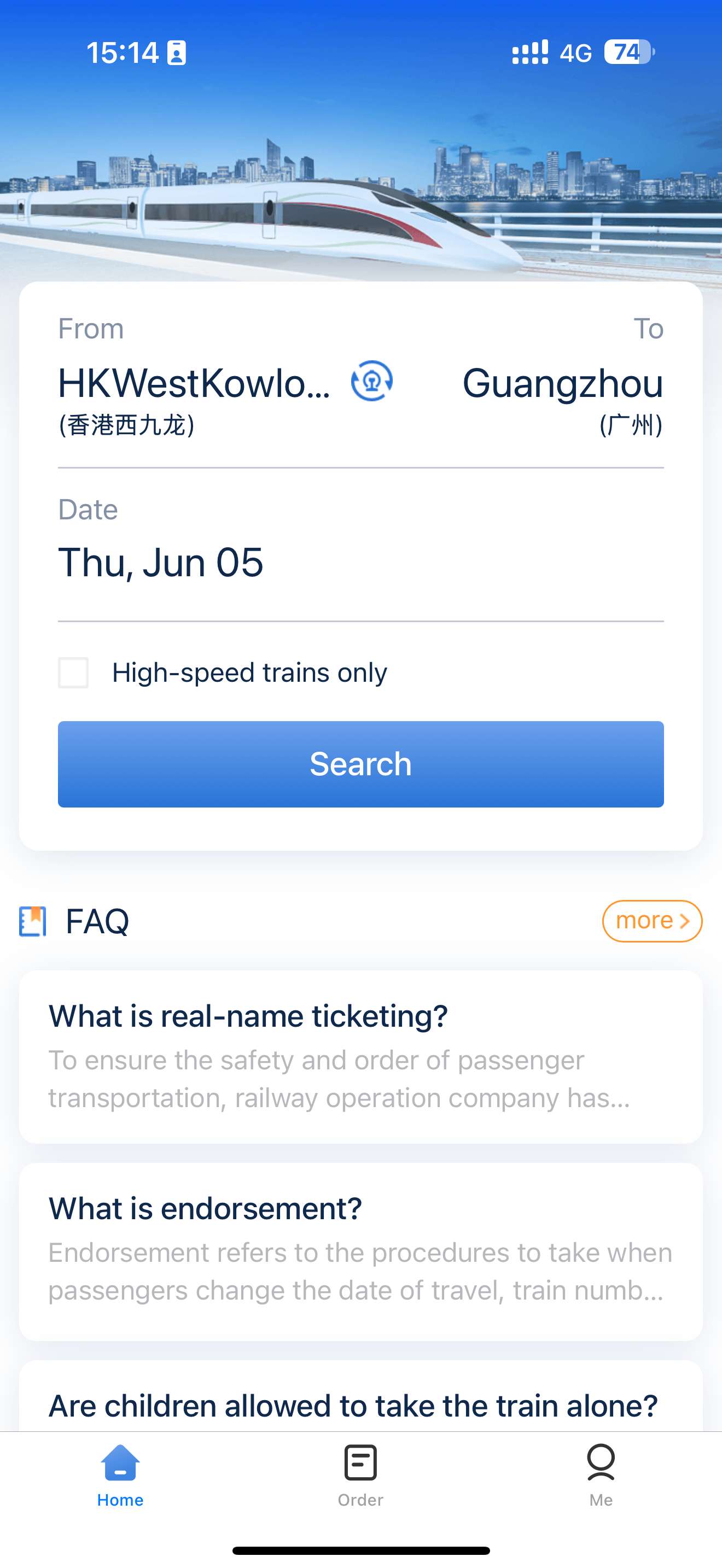
Search a test route after setup
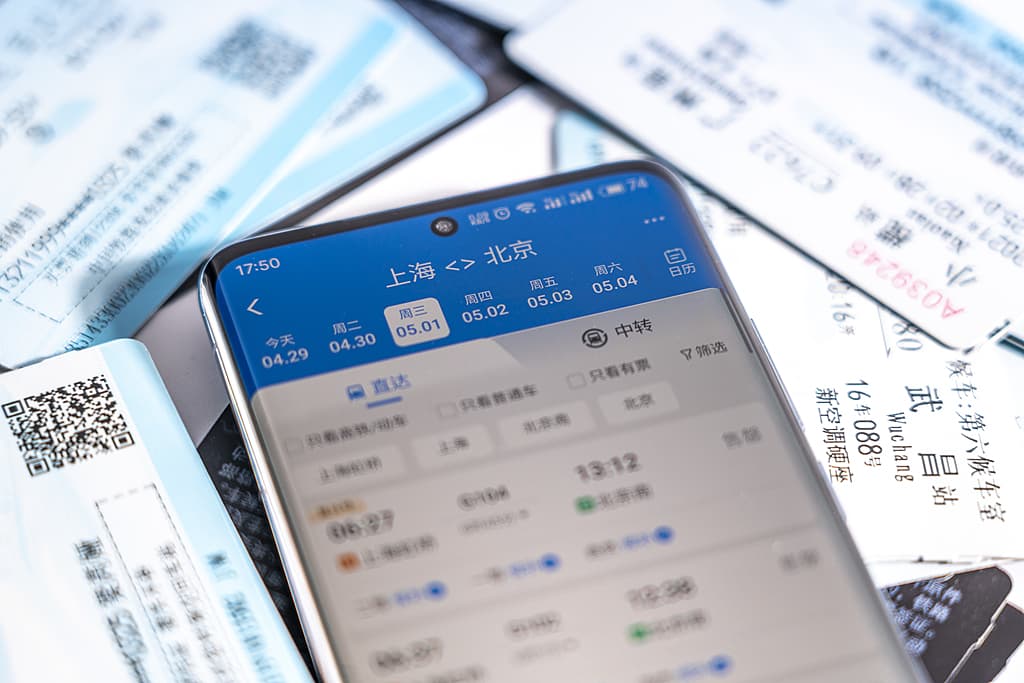
Search a simple route with departure city/station, arrival city/station, and date. Use this as a test even if you do not buy yet. Many Chinese cities have multiple stations, so check the station name carefully.
Trip.com tutorial screenshot.
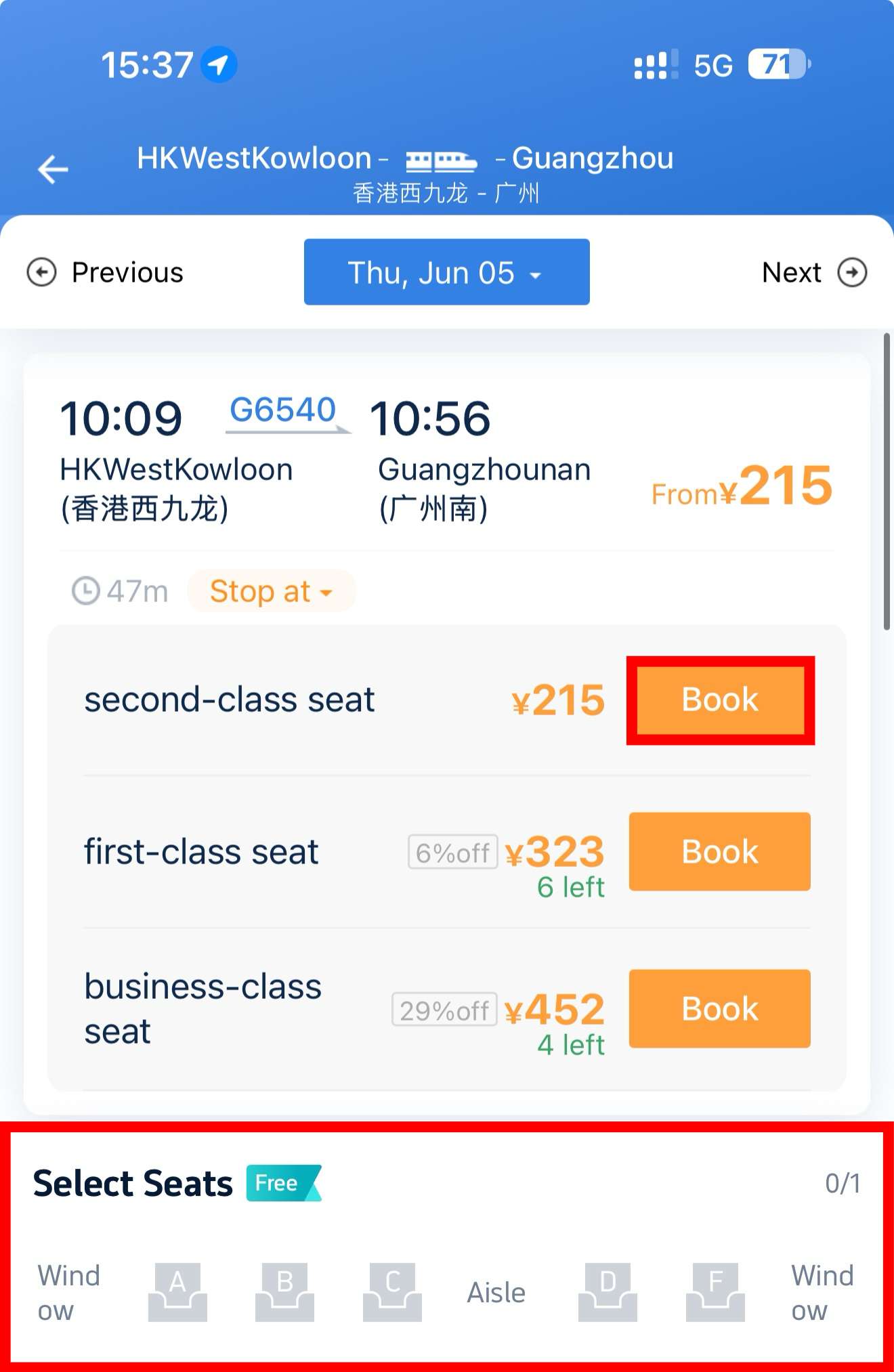
Choose train, seat type, and passenger
After search, compare train time, duration, departure station, arrival station, train type, and seat class. Add or select passengers only after their passport information is verified or ready to use. High-speed train seats often use A/F for window, C/D for aisle, and B for middle, but layout can vary.
Trip.com tutorial screenshot; seat layouts may vary by train.
Test payment and know where to find orders
12306 may support international cards, Alipay, WeChat Pay, and Chinese bank cards, but success can depend on card, bank, account, and app state. After purchase, check Me / Order or the Order Center. Keep your booking confirmation and passport ready for station entry.
Trip.com screenshot used as booking-stage visual.
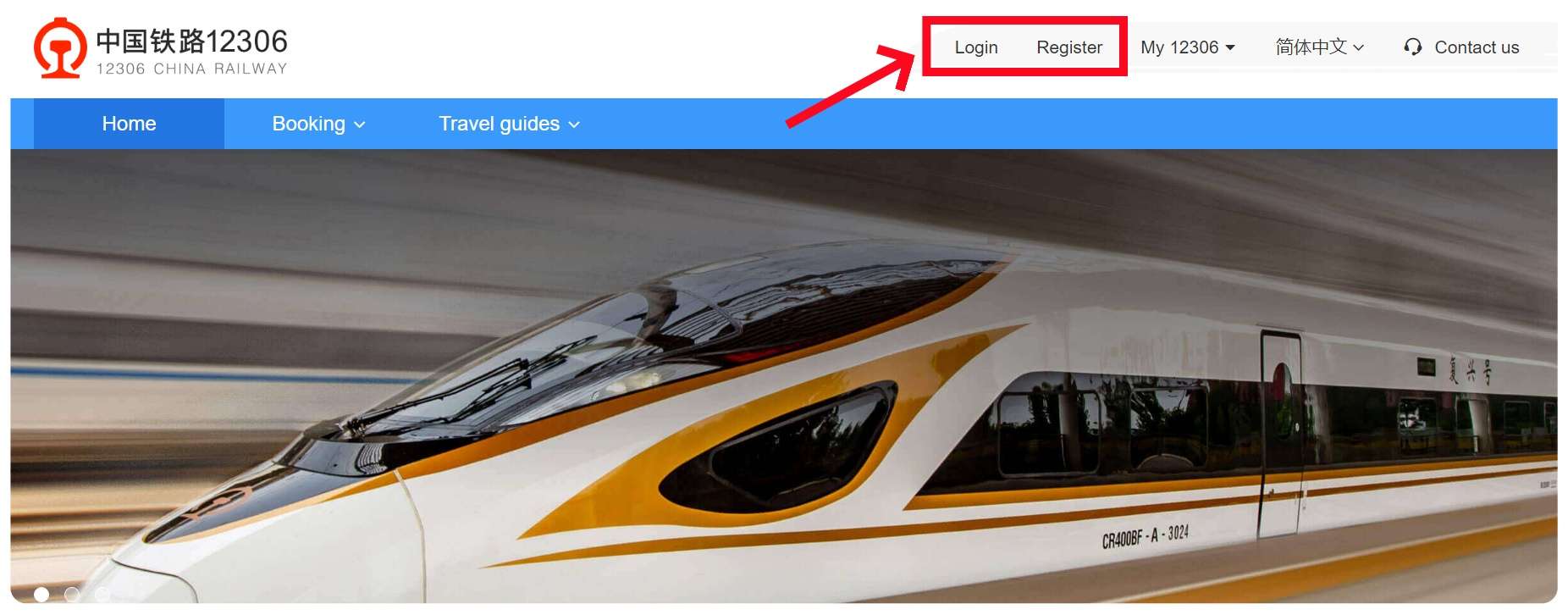
Use the website or Trip.com when the app blocks you
If the app is stuck, try the official English 12306 website. On the website, register or log in, add passenger information under My 12306, search trains, choose seat type, and pay. If verification is urgent or payment fails, Trip.com/Ctrip is the practical backup for foreign passport booking.
Trip.com tutorial screenshot.
Troubleshooting
Common problems and fixes
- Passport name order, spaces, or middle names do not match the passport.
- Passenger status stays pending verification or verification fails.
- Added passengers cannot be used because their ID information is not verified or ready.
- The app is in Chinese and the language switch is hard to find.
- Foreign card payment, Alipay, or WeChat Pay fails inside 12306.
- The wrong station is selected because the city has multiple railway stations.
- Ticket purchase is urgent but passport verification is still waiting.
- Automatic station gates may not work smoothly for passport holders; manual channels may be needed.
- The English website and app do not show exactly the same labels or options.
Important warnings
- 12306 is official, but official does not always mean easiest for a first-time foreign user.
- Use the same passport for account setup, ticket purchase, station entry, boarding, and refund/change support.
- Do not wait until Chinese holidays, weekends, or travel rush periods to solve verification.
- Trip.com says passport holders need manual station channels while foreign permanent residence ID card holders may use automatic gates; verify at the station because gate support can vary.
- Official 12306 states the English website accepts valid foreign passports; other document types and app flows may differ.
Best route and backup plan
Recommended route
- Set up 12306 at least several working days before travel, switch to English, enter passport details exactly, wait for passenger verification, then test with a simple route search.
- Keep Trip.com/Ctrip ready as the easiest backup if verification or payment blocks the official flow.
Backup options
- Use Trip.com for a simpler English booking flow.
- Ask station staff for manual help if passport verification creates issues at the station.
- Book earlier during holidays, weekends, and peak travel periods.
Other ways to pay
- Official 12306 English website.
- Trip.com/Ctrip with passport booking.
- Station ticket counter with physical passport.
- Trusted Chinese-speaking helper for station-name and passenger-info checks.
FAQ
Can foreigners register for 12306?
Yes. Official 12306 says foreign passengers can buy real-name tickets with valid passports according to regulations, and the English website accepts valid foreign passports.
How long does 12306 passport verification take?
Trip.com's 12306 tutorial says identity verification usually takes 3 to 5 working days. Treat this as a planning estimate and set up early.
How should I enter my foreign name?
Enter the English names in the order shown on your passport and keep spaces between first, middle, and last names if the passport uses spaces.
What does pending verification mean?
It means 12306 has not fully accepted the passenger identity yet. Trip.com says some pending-verification passport holders may still have limited online purchase ability, but full verification may require a station ticket window.
What if passport verification fails?
Check name spacing, passport number, nationality, and validity dates. If it still fails, bring the physical passport to a staffed station ticket window or use Trip.com/Ctrip for urgent travel.
Can I pay on 12306 with a foreign card?
Trip.com's guide says 12306 accepts international cards, Alipay, WeChat Pay, and Chinese bank cards. In practice, payment can still fail depending on card issuer, account state, and app flow, so keep a backup.
Is 12306 better than Trip.com?
12306 is official and useful for direct China Railway access. Trip.com is often easier for foreigners because it supports passport booking with a more familiar English flow and customer support.
Can I board with my passport?
Official 12306 says passengers should show the valid ID document used to purchase the e-ticket for station check-in and boarding. For foreign passport users, this means bringing the physical passport used for the booking.
Can I add family or friends as passengers?
Yes, but each passenger's name, document type, and document number must be entered accurately and may need verified or ready-to-be-verified status before purchase.
When can I use the station ticket window?
Use it when passport verification fails, app payment fails, gates do not read your document, or you need help with orders, refunds, or manual verification. Bring the physical passport.
12306
The official China Railway app for checking and booking train tickets.
Keep going
Related practical guides
How to Buy High-Speed Train Tickets in China
Use 12306 or a foreigner-friendly platform, enter passport details correctly, choose the right station, and board with confidence.

How to Board High-Speed Trains in China
A station walkthrough for foreigners after buying China high-speed train tickets: arrival time, passport entry, security, gates, platforms, seats, luggage, toilets, and transfers.

How to Book a Hotel in China as a Foreigner
Choose a hotel that can host foreign guests, confirm passport registration, and prepare check-in details.